As the founder and lead technical troubleshooter at our machining center supply company, I’ve spent the last 18 years on the shop floor, walking alongside manufacturers who thought their CNC equipment was down for good. There’s nothing more frustrating than a stalled production run—when parts are waiting, deadlines are looming, and your team is standing around with nothing to do. Electrical problems in machining centers are by far the most common culprit behind these unexpected halts, and over the years, I’ve seen just about every scenario: a tripped circuit breaker that got overlooked, a worn encoder that was misdiagnosed as a servo motor failure, even a loose connector in the control panel that a new maintenance tech forgot to tighten. The best part? Almost none of these issues require calling in an expensive third-party electrical expert right away. With a systematic, step-by-step approach and a basic understanding of your machining center’s core electrical system, you can troubleshoot most problems on your own, get your line back up, and avoid costly downtime. Machining Centers
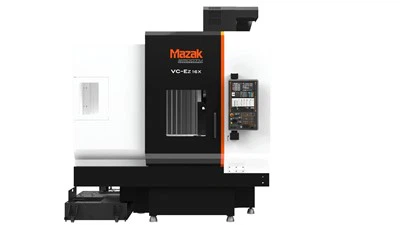
Let’s start with the number one rule I live by: never skip the basics. When a machining center dies or acts erratically, it’s easy to jump to the worst-case scenario—“the control board blew out!” or “the spindle motor is fried!”—but 60% of electrical issues we resolve for customers are fixable in 15 minutes or less. This is especially true for newer facilities or shops with less experienced maintenance teams. Last month, a customer in Cleveland called us panicking because their 3-axis vertical machining center wouldn’t move along the X-axis. They’d already checked the axis drive and even suspected the motor, but when I walked them through our basic pre-troubleshooting checklist, they realized the shop’s air compressor had tripped a shared circuit breaker. The machining center’s air assist system (critical for chip clearing during milling) pulls a lot of current, and when the compressor kicked back on, it pulled enough power to trip a dedicated breaker they’d tucked behind a pallet of raw aluminum. That’s the kind of easy fix that gets missed when you’re overcomplicating things.
First, let’s define what we’re actually dealing with. A machining center’s electrical system is a layered network, not a single part. At the top is the main power supply, which feeds three phase power (standard for most industrial equipment) through a disconnect switch, into the control cabinet, and out to every component: servo drives, spindle motor, tool changer, coolant pumps, limit switches, and the operator panel. Each of these layers can fail individually, so our troubleshooting process should work from the power source up to the moving parts, not the other way around. That linear approach prevents us from wasting time on parts that aren’t the issue.
The first step in every troubleshooting call I take is asking the customer to confirm the power feed. This is non-negotiable, no matter how small or large the problem. Start at the main disconnect: if it’s a rotary or breaker-style switch, make sure it’s fully engaged. Next, check the main line voltage using a multimeter—this is a tool every shop maintenance tech should own, and it costs less than $50 at most hardware stores. For three-phase systems, you should read roughly equal voltage across all three legs (typically 208V, 480V, or 600V depending on your facility’s setup). If one leg is 10% or more lower than the others, that’s a clear issue, and it could mean a bad transformer, a loose connection at the main panel, or even a problem with your facility’s utility feed. If the main disconnect is fine, move to the control cabinet’s power input. Many newer machining centers have a separate control transformer that steps down high voltage to 24V DC for the control logic, so if the display is dark but other components are humming, that transformer might have tripped a thermal overload—another super common fix. I once had a customer in Detroit who spent $1,200 on a service call for a “dead control panel” that was just a tripped fuse in the control transformer, accessible in 10 seconds behind a labeled cover in the cabinet.
Once you confirm the power is getting to the control cabinet, the next step is checking the operator interface and error codes. Modern machining centers are designed to log electrical faults, and ignoring that display is like throwing away a free blueprint of the problem. The error codes aren’t just random numbers—they’re written to tell you exactly what layer is failing. For example, a code like “Axis X servo drive overcurrent” points to a problem between the drive and the X-axis motor, not the main power supply, while a code like “Control logic communication fault” usually points to a loose Ethernet cable or a failing connector on the control board. I always tell customers to jot down the exact error code, along with what the machine was doing right before it failed. Was it cutting a deep pocket, or just starting a tool change? Did it run a full shift fine, or fail 10 minutes into startup? That context is half the battle when troubleshooting. Last quarter, a customer in Chicago called with a repeating error code on their 5-axis machining center that read “A-axis encoder fault.” When I asked what they were doing when it failed, they said they were cutting a titanium part and had just switched to a coolant with higher viscosity. The encoder cable runs along the A-axis, and the thick new coolant had seeped into the loose connector at the encoder end, causing a short. A quick spray with electrical contact cleaner and a re-seated connector fixed the problem, no part replacement needed.
From the control cabinet, we move down to the drive system, which is the bridge between the control logic and the moving motors. Each axis (X, Y, Z) and the spindle has its own drive, usually a small module mounted in the control cabinet. Over time, dust, metal shavings, and coolant can build up on these drives, causing overheating or electrical shorts. Most drives have LED status lights: green for normal, yellow for a warning, red for a fault. If an axis isn’t moving and its drive light is red, that’s a clear sign to focus there, not the motor. When checking drives, always turn off the main power and lockout/tagout the circuit—this is non-negotiable for safety, no exceptions. Open the cabinet, and gently blow out dust with low-pressure compressed air (more than 30 PSI can damage delicate circuit boards) or use an anti-static brush to clean around the drive modules. Look for any bulging capacitors on the drive board—bulging capacitors are a dead giveaway that the drive is failing, and that’s a part you can replace for a few hundred dollars, way cheaper than buying a whole new drive. I’ve seen way too many techs skip cleaning the drives, only to have the machine fail during a critical production run. A 2-minute annual cleanout of the control cabinet can prevent 70% of drive-related electrical issues, in my experience.
Next, check the motor and its feedback components. Servo motors and spindle motors in machining centers are built to last, but their cables and feedback parts (like encoders or resolvers) wear out much faster, especially in a shop environment with constant vibration and coolant exposure. The most common motor-related electrical issue is a broken or frayed power cable. If you wiggle the cable near the motor or the drive, and the machine starts acting erratically (or the error code changes), that’s a sure sign of a broken wire inside the cable. This is also easy to fix: you can splice the wire, or buy a pre-made replacement cable that takes less than an hour to install, no advanced programming needed. Encoders are another common weak spot—these parts track the position of the axis, so a bad encoder will cause the axis to drift or not move at all. Encoders can also get dirty: metal shavings or oil can build up on the encoder disk, causing it to read position incorrectly. Cleaning the encoder with contact cleaner and a soft cloth, or tightening its mounting screw if it’s loose, often fixes the problem without replacing the part. Last spring, a customer in Ohio had their Z-axis drift by 2mm every time they cut a deep slot. We sent them a $15 contact cleaner kit, and a 10-minute clean of the Z-axis encoder fixed the issue—they didn’t need to replace the $800 encoder they’d already ordered.
Don’t forget the limit and home switches, tiny but critical parts that prevent the machining center from running off its rails. These switches are small, often mounted on the ends of the axis rails, and they get covered in metal shavings and coolant all the time. A dirty or misaligned limit switch is a top cause of axis faults, because when the machine reaches the end of its travel, the switch triggers a fault that stops the axis. Testing a limit switch is easy: use a multimeter to check for continuity when the switch is actuated (pressed) and not actuated. If there’s no continuity when it’s pressed, that means the switch is stuck, corroded, or broken. Cleaning it with contact cleaner, adjusting its mounting bracket so it lines up properly with the axis dog, or replacing it (they cost $20-$50 each) will fix most of these issues. I once had a customer in Texas who thought their Y-axis drive had failed, and it turned out the limit switch on the Y-axis was clogged with aluminum shavings, so it wouldn’t trigger when the axis reached the end—causing the drive to go into overcurrent protection. A quick blast of compressed air fixed that in 2 minutes.
Now, let’s talk about common mistakes to avoid. First, never ignore safety procedures. Always lock out the main power when working on the control cabinet, and never touch any circuit boards with your bare hands—static electricity can fry them instantly, even if the power is off. Second, don’t replace parts randomly. It’s tempting to swap out a “faulty” drive or motor when you see an error code, but that’s a waste of money 70% of the time. Follow the steps: check power, check error codes, check drives, check cables, check switches. Third, don’t skip regular maintenance. Most electrical problems in machining centers are preventable with a monthly check: clean the control cabinet, tighten loose connectors, test limit switches, and check cable integrity. We’ve seen shops that do this cut their electrical downtime by 80% over a year, compared to shops that only call for help when something breaks.
If you’ve gone through all these steps and still can’t find the issue, that’s when it’s time to reach out for expert support. Our team specializes in machining center electrical troubleshooting—we work with every major brand, and we can help you diagnose remote issues over a video call, or send a technician to your facility for on-site support. We also offer 24/7 troubleshooting for emergency downtime, because we know how critical it is to get your production line back up as soon as possible. We don’t believe in selling you parts you don’t need, or charging exorbitant fees for simple fixes—our goal is to help your shop run smoothly, because when your machining center runs well, we do too.
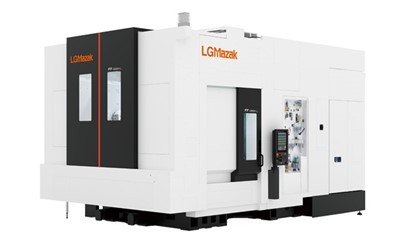
When a machining center goes down, it’s easy to feel overwhelmed, but the process doesn’t have to be complicated. By sticking to a systematic approach, starting with the basics, and paying attention to the small details like error codes and dirty switches, you can resolve most electrical issues on your own, avoid costly downtime, and even extend the life of your equipment. If you’re struggling with a persistent electrical problem, or you want to set up a preventive maintenance plan for your machining centers, we’re here to help. We look forward to hearing about your needs and working with you to keep your operations running efficiently.
Processing Machine References
- Machining Center Electrical Systems: Operation and Maintenance Guide. Society of Manufacturing Engineers, 2021.
- CNC Troubleshooting Handbook: Systematic Diagnosis for Electrical and Mechanical Faults. Industrial Press, 2022.
- Preventive Maintenance Best Practices for Industrial CNC Equipment. National Institute for Occupational Safety and Health, 2020.
Hermens Industrial Co., Ltd.
As one of the most professional machining centers enterprises in China, we’re featured by quality products and low price. Please rest assured to buy cheap machining centers in stock here and get quotation from our factory. We also accept customized orders.
Address: 9/59 Moo 14, Rachathewa , Bang Phli , Samut Prakan Province 10540
E-mail: liu_jincheng@hzhemen.com
WebSite: https://www.hermensindustrial.com/
